
When buying a keyboard, one of the biggest decisions you’ll face is choosing between mechanical and membrane keyboards. At first glance, they may look similar—but underneath the keys, they work very differently. Those differences impact everything from typing feel to durability, noise, and gaming performance.
So, which one is right for you? Let’s break it down in a simple, beginner-friendly way.
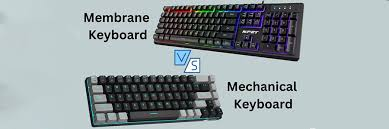
🔍 What Is a Mechanical Keyboard?
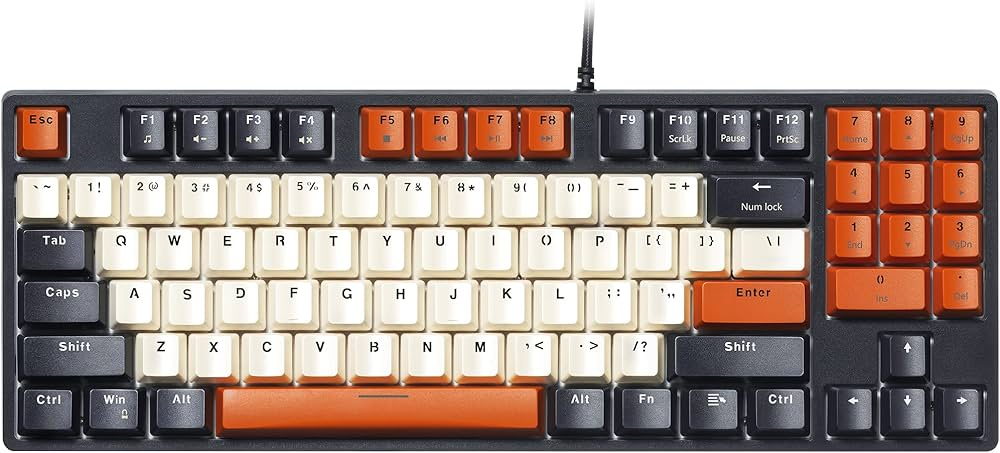
A mechanical keyboard uses individual switches under each key. When you press a key, a physical switch activates and sends a signal to your computer.
Key Features:
- Distinct tactile feedback (you can feel the key press)
- Multiple switch types (linear, tactile, clicky)
- Highly customizable (keycaps, switches, lighting)
- Long lifespan (often 50–100 million keystrokes)
👉 Think of it like a premium experience built for performance and personalization.
🔍 What Is a Membrane Keyboard?
A membrane keyboard uses a rubber dome layer beneath the keys. Pressing a key pushes down the membrane to complete the circuit.
Key Features:
- Soft, quiet typing experience
- Simple design with fewer moving parts
- Budget-friendly
- Shorter lifespan (around 5–10 million keystrokes)
👉 It’s the standard keyboard you’ll find in most offices and budget setups.
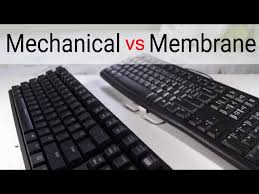
⚔️ Mechanical vs Membrane: Key Differences
1. Typing Experience
- Mechanical: Precise, responsive, and satisfying
- Membrane: Soft but often described as “mushy”
👉 If you type a lot, mechanical keyboards usually feel better and more consistent.
2. Noise Level
- Mechanical: Louder (especially clicky switches)
- Membrane: Much quieter
👉 Membrane is ideal for shared spaces like offices or classrooms.
3. Durability
- Mechanical: Built to last years with heavy use
- Membrane: Wears out faster due to rubber components
👉 Long-term users should lean toward mechanical.
4. Gaming Performance
- Mechanical: Faster, more accurate, supports multiple key presses (NKRO)
- Membrane: Slightly slower, may miss simultaneous inputs
👉 Competitive gamers almost always choose mechanical.
5. Price
- Mechanical: More expensive
- Membrane: Very affordable
👉 If you’re on a tight budget, membrane is the easier choice.
6. Customization
- Mechanical: Highly customizable (switches, keycaps, mods)
- Membrane: Limited customization
👉 Mechanical keyboards are popular among enthusiasts for this reason.
👍 Pros and Cons
Mechanical Keyboard Pros
✔ Better typing feel
✔ Longer lifespan
✔ Great for gaming
✔ Customizable
Mechanical Keyboard Cons
❌ Expensive
❌ Noisy
❌ Heavier
Membrane Keyboard Pros
✔ Affordable
✔ Quiet
✔ Lightweight
Membrane Keyboard Cons
❌ Less precise typing
❌ Shorter lifespan
❌ Limited features
🎯 Which One Should You Choose?
Choose a Mechanical Keyboard if:
- You’re a gamer or programmer
- You type for long hours
- You want a premium feel and customization
Choose a Membrane Keyboard if:
- You’re on a budget
- You need a quiet workspace
- You use your PC for basic tasks
🧠 Final Verdict
There’s no universal “best” keyboard—it all depends on your needs.
- Mechanical keyboards are the best for performance, durability, and customization.
- Membrane keyboards are ideal for affordability and quiet everyday use.
👉 If you’re serious about your setup, mechanical is worth the investment. But if you just need something simple and cheap, membrane gets the job done.