Choosing the right mouse isn’t just about clicks—it’s about comfort, performance, and how you use your computer every day. Whether you’re a gamer, office worker, or creative professional, the right mouse can significantly improve your experience.
In this guide, we’ll break down the three most popular mouse types—gaming, ergonomic, and productivity mice—and help you decide which one is best for you.
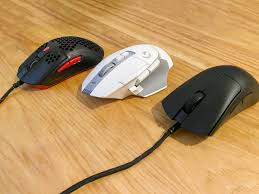
🎮 1. Gaming Mouse – Built for Speed & Precision
Gaming mice are designed for performance, responsiveness, and control. They’re perfect for competitive players and anyone who needs ultra-fast input.
🔑 Key Features:
- High DPI (sensitivity): Allows faster and more precise cursor movement
- Programmable buttons: Assign macros for quick actions
- High polling rate: Faster communication with your PC
- Lightweight design: Easier for rapid movements
- RGB lighting: Customizable aesthetics
👍 Best For:
- FPS, MMO, and competitive gaming
- Fast-paced tasks requiring precision
- Users who like customization
👎 Downsides:
- Can be less comfortable for long office work
- Extra features may be unnecessary for casual users
👉 In short: If speed and accuracy matter most, gaming mice are the top choice.
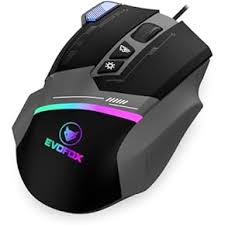
🧠 2. Ergonomic Mouse – Designed for Comfort & Health
Ergonomic mice focus on reducing strain and improving posture, making them ideal for long hours of use.
🔑 Key Features:
- Natural hand positioning: Reduces wrist strain
- Vertical or sculpted designs: Promote a neutral arm posture
- Comfort-focused shape: Supports palm and fingers
- Adjustable DPI: Lets you balance speed and control
👍 Best For:
- Office workers and programmers
- People with wrist pain or RSI
- Long daily computer sessions
👎 Downsides:
- Not ideal for fast-paced gaming
- Takes time to get used to (especially vertical mice)
👉 In short: Choose ergonomic mice if comfort and long-term health are your priority.
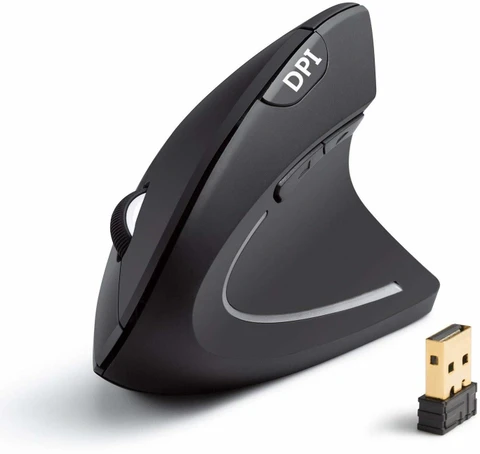
💼 3. Productivity Mouse – Built for Efficiency
Productivity mice are designed to help you work faster and smarter, especially in office or creative environments.
🔑 Key Features:
- Extra buttons for shortcuts: Copy, paste, switch apps
- High precision tracking: Great for design and editing
- Dual scroll wheels (sometimes): For horizontal and vertical scrolling
- Wireless connectivity: Cleaner desk setup
👍 Best For:
- Office work (Excel, browsing, multitasking)
- Designers and video editors
- Developers and content creators
👎 Downsides:
- Heavier than gaming mice
- Lower responsiveness for competitive gaming
👉 In short: Productivity mice are perfect for workflow efficiency and multitasking.
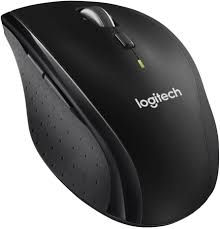
⚖️ Gaming vs Ergonomic vs Productivity: Quick Comparison
| Feature | Gaming Mouse 🎮 | Ergonomic Mouse 🧠 | Productivity Mouse 💼 |
|---|---|---|---|
| Main Focus | Speed & accuracy | Comfort & health | Efficiency & workflow |
| DPI Range | Very high | Moderate–high | Moderate–high |
| Comfort | Medium | Excellent | High |
| Custom Buttons | Many | Few–moderate | Many |
| Best Use Case | Gaming | Long work sessions | Office & creative work |
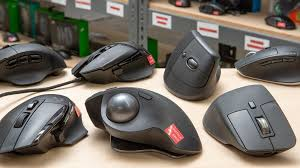
🧠 Which Mouse Should You Choose?
- 👉 Choose a gaming mouse if you play competitive games or need precision
- 👉 Choose an ergonomic mouse if you work long hours and want comfort
- 👉 Choose a productivity mouse if you want to boost workflow and multitasking
💡 Pro Tip: Some modern mice combine features from all three categories, giving you a balanced experience.
🏁 Final Thoughts
There’s no “one-size-fits-all” mouse. The best choice depends on how you use your computer daily. A gamer’s ideal mouse won’t suit a designer, and an office worker might struggle with a gaming-focused device.
Investing in the right mouse is a small upgrade—but it can make a huge difference in comfort, efficiency, and performance.